Self-Intersections#
Description#
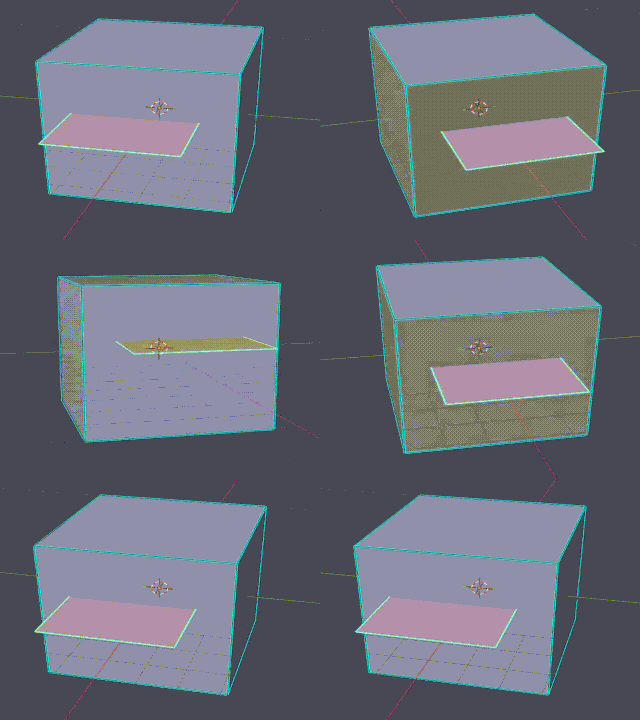
A self-intersection occurs when edges or faces of the mesh pierce through other faces.
Common sources:
Object or furniture parts that intersect the room geometry
Boolean operations (union, cut) with poor parameters
Accidentally overlapping mesh
Detection#
Detection Method: Constrained Delaunay Triangulation (CDT) based spatial analysis
Algorithm:
Build AABB (Axis-Aligned Bounding Box) tree for fast overlap detection
For each potential pair of faces: - Triangulate each face using CDT (handles non-convex polygons) - Test each edge segment against each triangle
Classify intersection type (interior, edge, vertex)
Report with precise location (coordinates, which edge/face)
Tolerance: Implicit (based on intersection classification)
Auto-Repair#
Status: ⚠️ Partial repair (collinear intersections only)
Repair Scope:
Repaired: Single intersection per face OR multiple collinear intersections in one face - Intersection points are collinear (lie on the same line)
Not Repaired: Multiple non-collinear intersections in one face - When intersection points are not collinear, no repair is attempted - Reported but left for manual correction
Repair Method (Collinear Case):
Identifies all intersection points and verifies they are collinear
Inserts intersection points as new vertices in order along the line
Splits the problematic faces by connecting the vertices to form new faces
Repair Limitations:
Only handles collinear intersection patterns; non-collinear cases require manual repair
Significantly increases face count
May introduce new small faces or non-planarity issues (see Small Faces, Non-Planar Faces)
Repair modifies geometry; the result may differ from original CAD intent
Manual Fix / Avoidance#
In CAD (Before Export):
Avoid intersections during creation: - Connect touching vertices, edges, or faces (e.g., a table touching the floor should share vertices or edges)